TempleOS,
with a desktop.
Windows, a dock, a browser, ten themes and a set of apps. All written in HolyC and drawn by its own renderer.
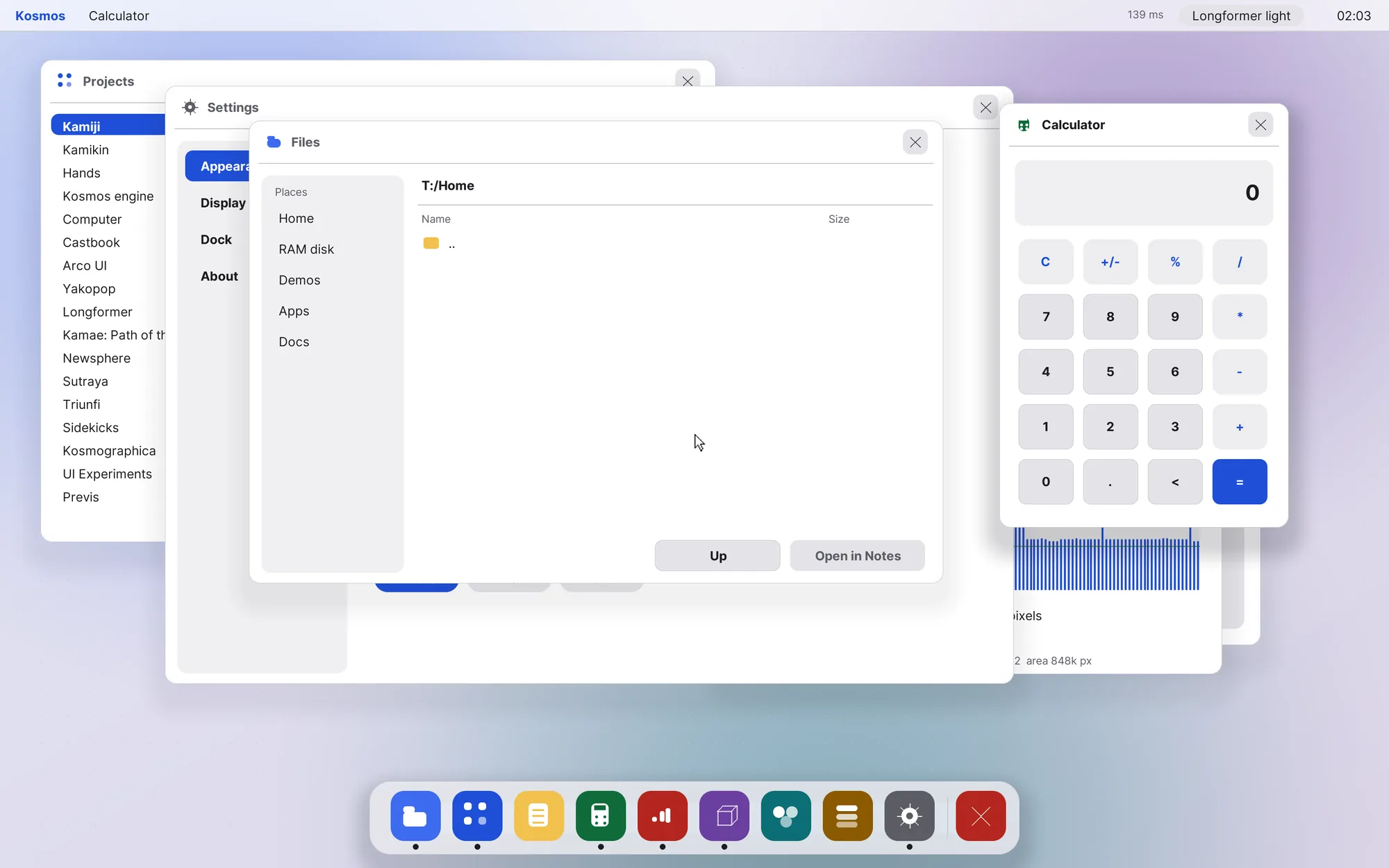
Screenshot of the running desktop at 2880 × 1800
Look
Ten ways to look at the day.
A profile sets the typography, the calendar and clock on the wallpaper, and the palette. Pair any of them with a window style, in light or dark.
Gilded — Art deco, gold on black
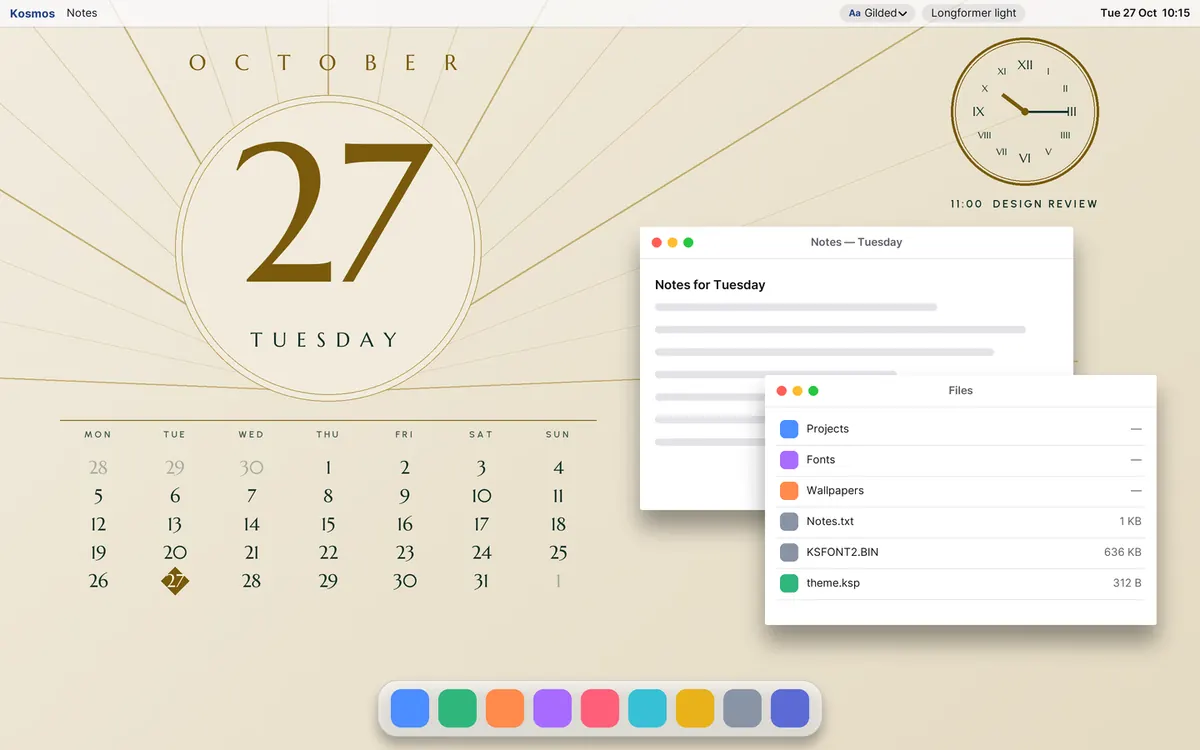
Design renders of each profile, drawn from the palettes in the spec. The profiles are not built into the desktop yet.
Windows
Five styles. Change one, and every window follows.
Chrome, menu bar and dock come as a set: light, dark, glass, and two that borrow the look of other desktops. The Windows and Icons editors adjust shape, gradients, shadows and glow live.
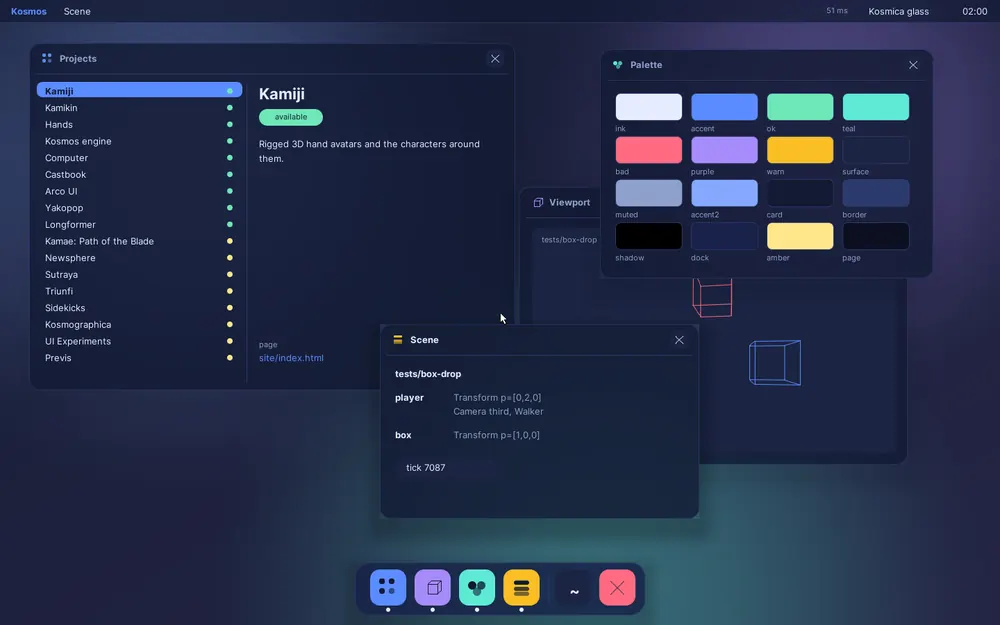
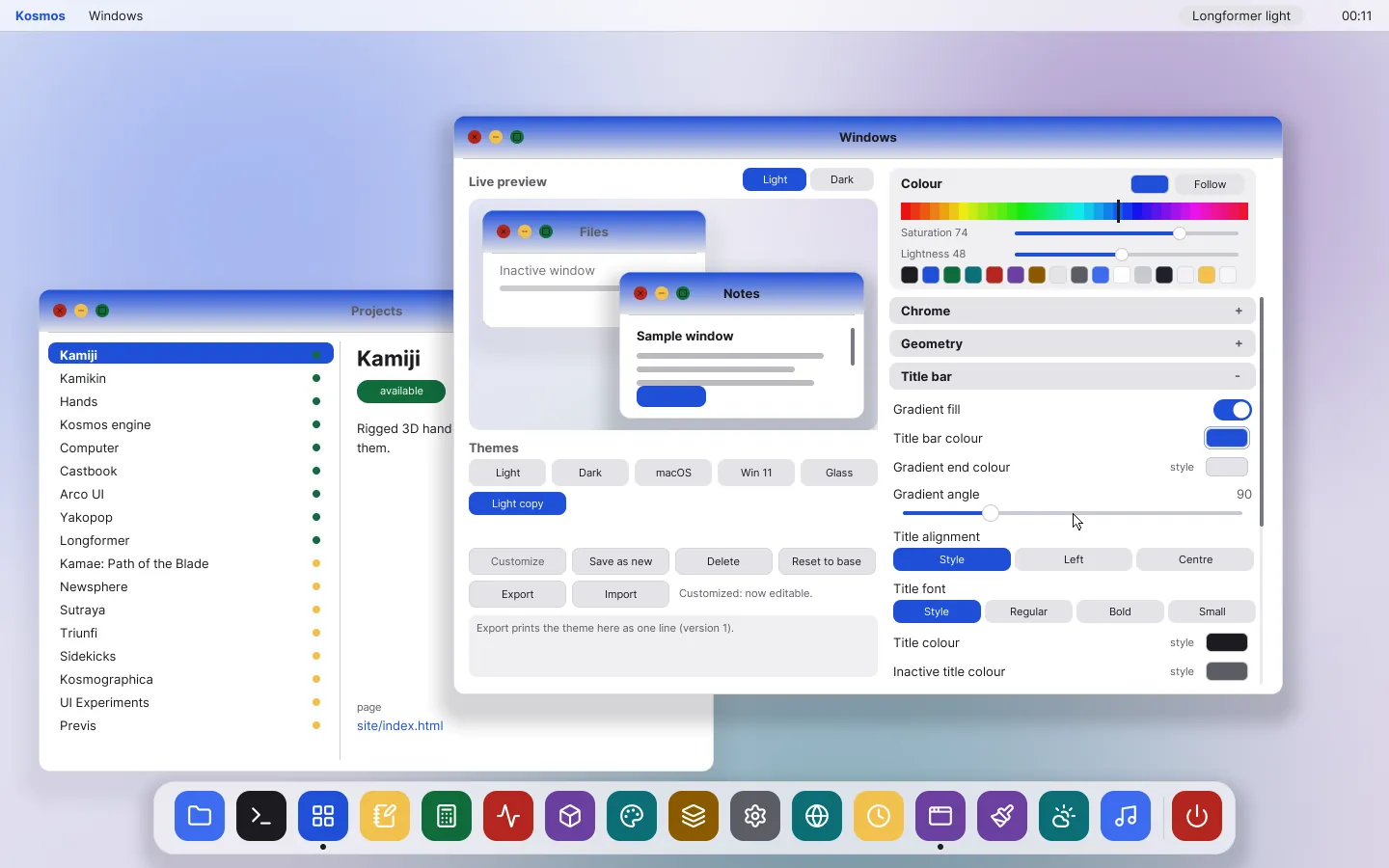
The Windows editor
Wallpapers
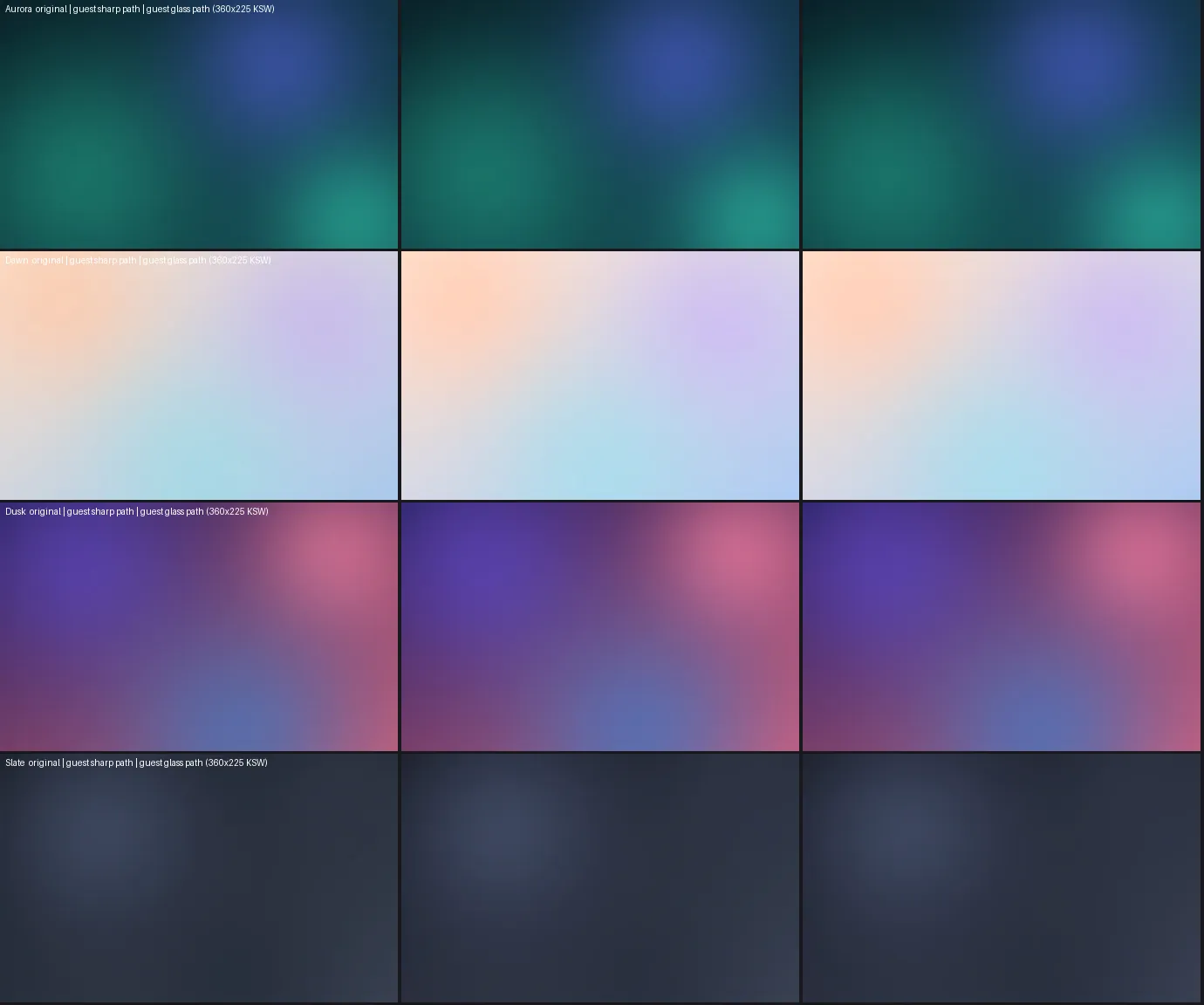
Gradients built in a blink, photos on the way.
The default wallpapers are generated: smooth gradients built in about 60 ms, with banding removed.
Photos come next. The Mac prepares each picture, since the desktop has no image decoder, and sends a small file the desktop can paint directly.
Apps
Apps that feel at home.
Each app is a HolyC function drawing into a window. Ten run on the desktop today, three more are working prototypes, and the rest are written up as plans.
Launchpad
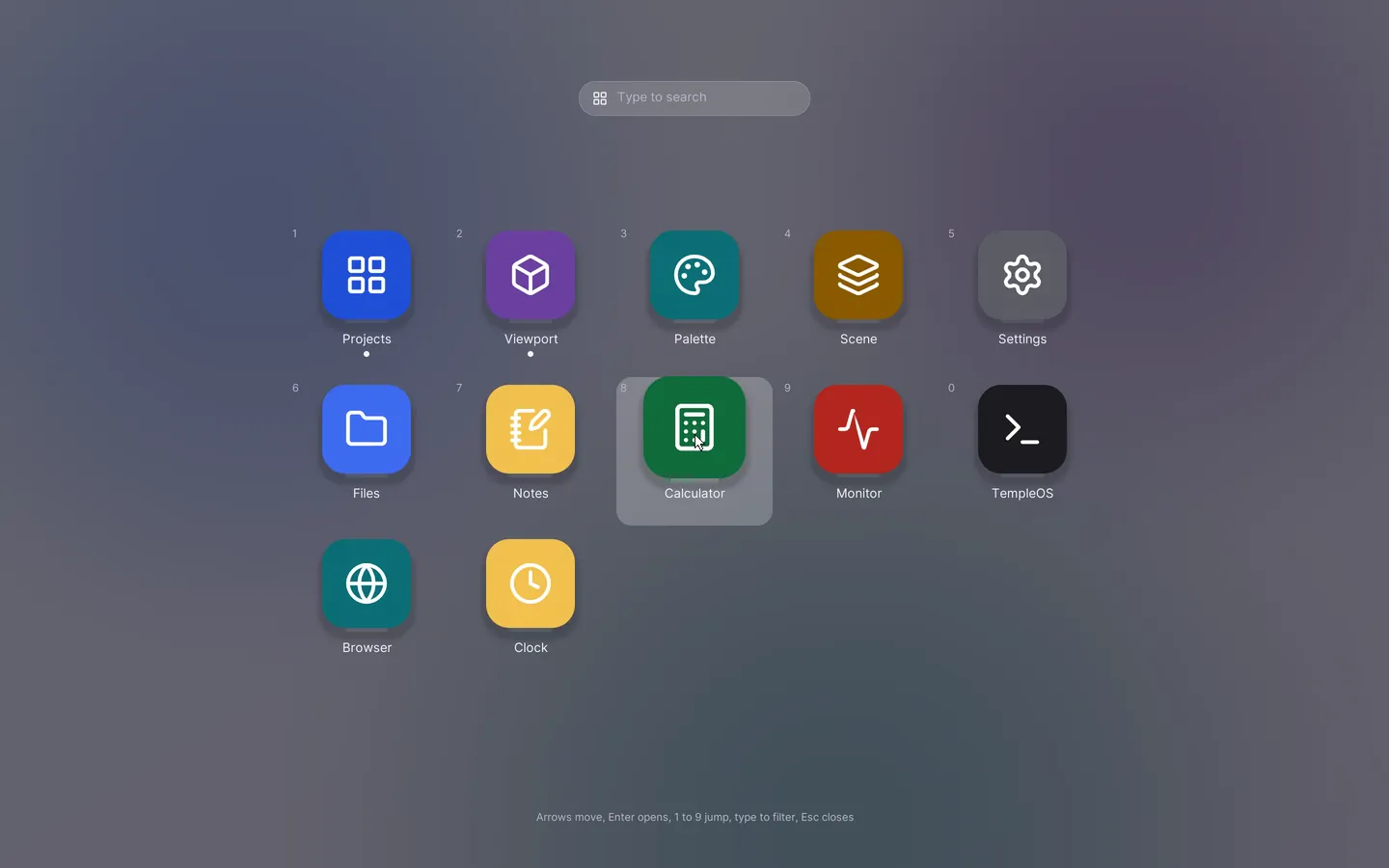
Everything, one key away.
A full-screen grid of every app. Type to search, arrow keys to move, Return to open.
Clock
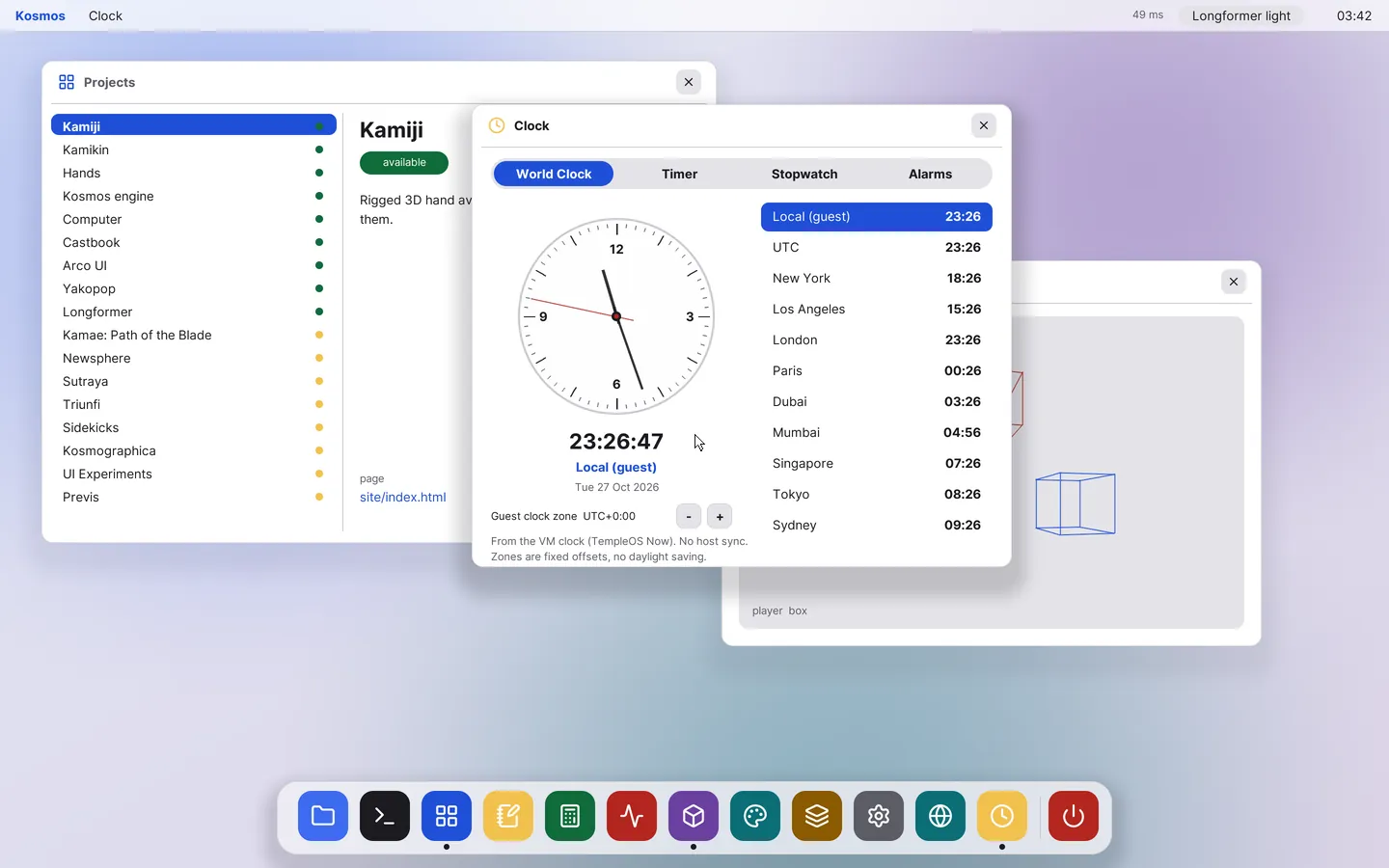
Time zones, timers and alarms.
A world clock with an analog face, a timer, a stopwatch and alarms that fire on screen.
Weather
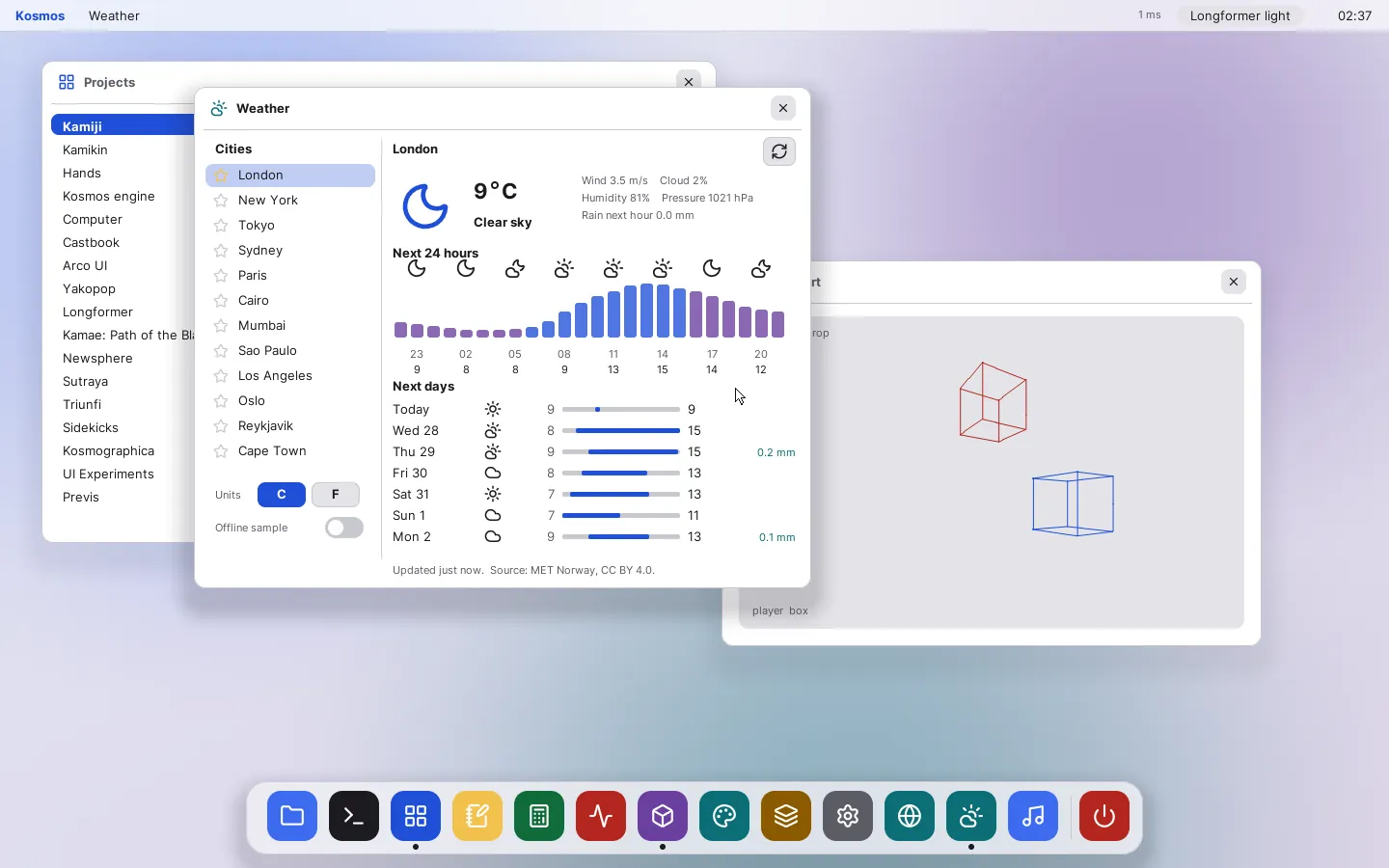
Live forecasts, with permission first.
Twelve cities, hourly and daily charts, Celsius or Fahrenheit. The data comes from MET Norway through the host.
The first request waits for an approval prompt. Until you say yes, nothing leaves the machine.
All apps
Files
BuiltBrowse the file system and open anything in Notes.
Notes
BuiltA plain text editor that saves to disk.
Calculator
BuiltKeyboard-first, with a basic and a scientific layout planned.
Clock
BuiltWorld clock, timer, stopwatch and alarms.
Launchpad
BuiltA full-screen grid of apps with search and arrow-key navigation.
Browser
BuiltReal pages, painted by the desktop's own renderer.
Monitor
BuiltFrame-time graph and a built-in benchmark suite.
Settings
BuiltThemes, accent, wallpaper, display, dock and about.
Icons and Windows
BuiltLive editors for every icon and window style.
Projects, Viewport, Scene, Palette
BuiltA 3D viewport and tools for the Kosmos engine.
Weather
PrototypeLive forecasts for twelve cities, in C or F.
Music
PrototypePlay a folder: pause, seek, volume, spectrum.
Kamiji Studio
PrototypeThe character creator, opened inside the desktop.
Maps
PlannedTiles and search through the host.
Mail and Contacts
PlannedRead and write, with a prompt before anything is sent.
Slides and Spreadsheets
PlannedDocuments you can open and edit.
Podcasts
PlannedSubscribe and play.
AI IDE and Dev Box
PlannedCode, containers and language servers behind the host.
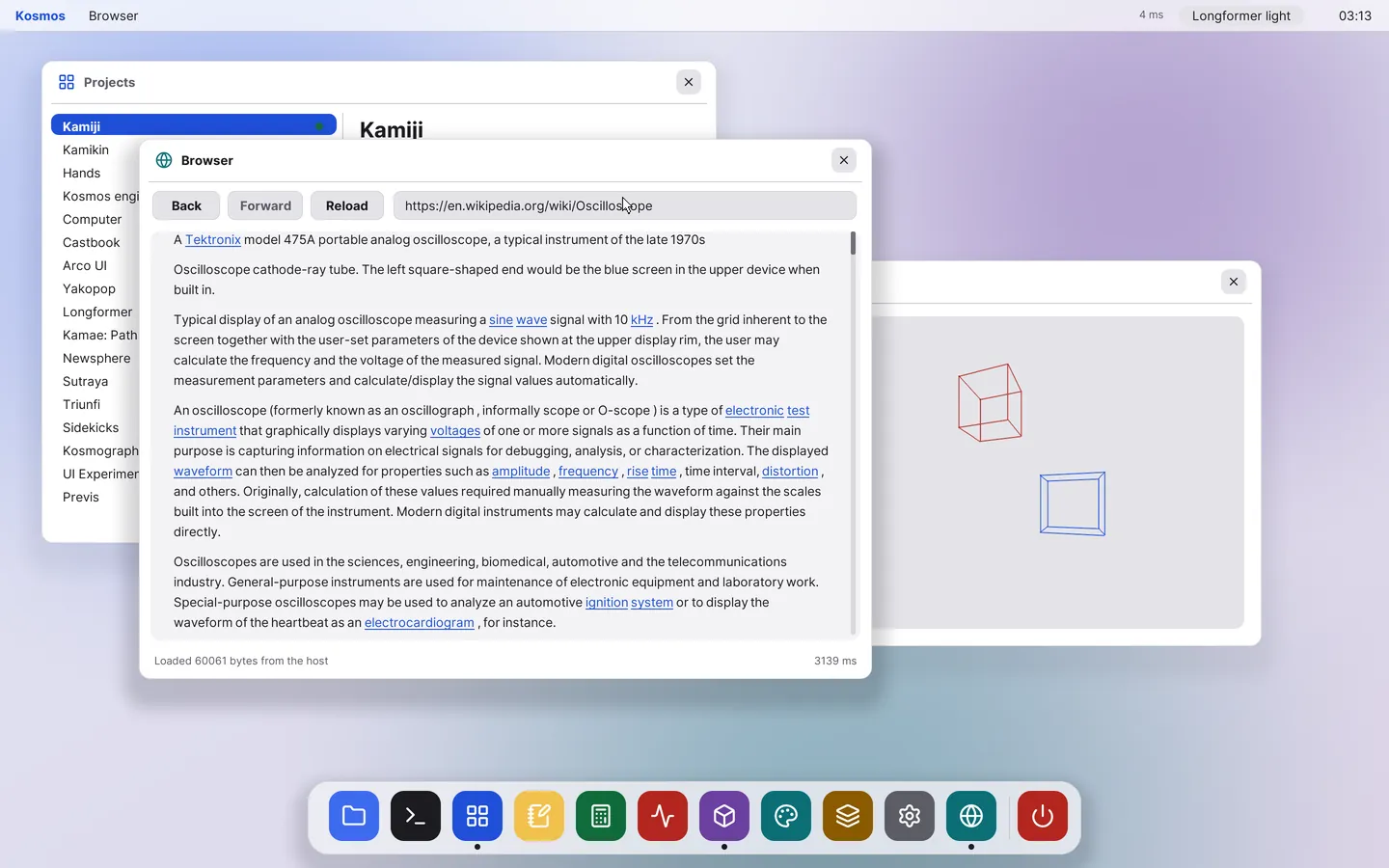
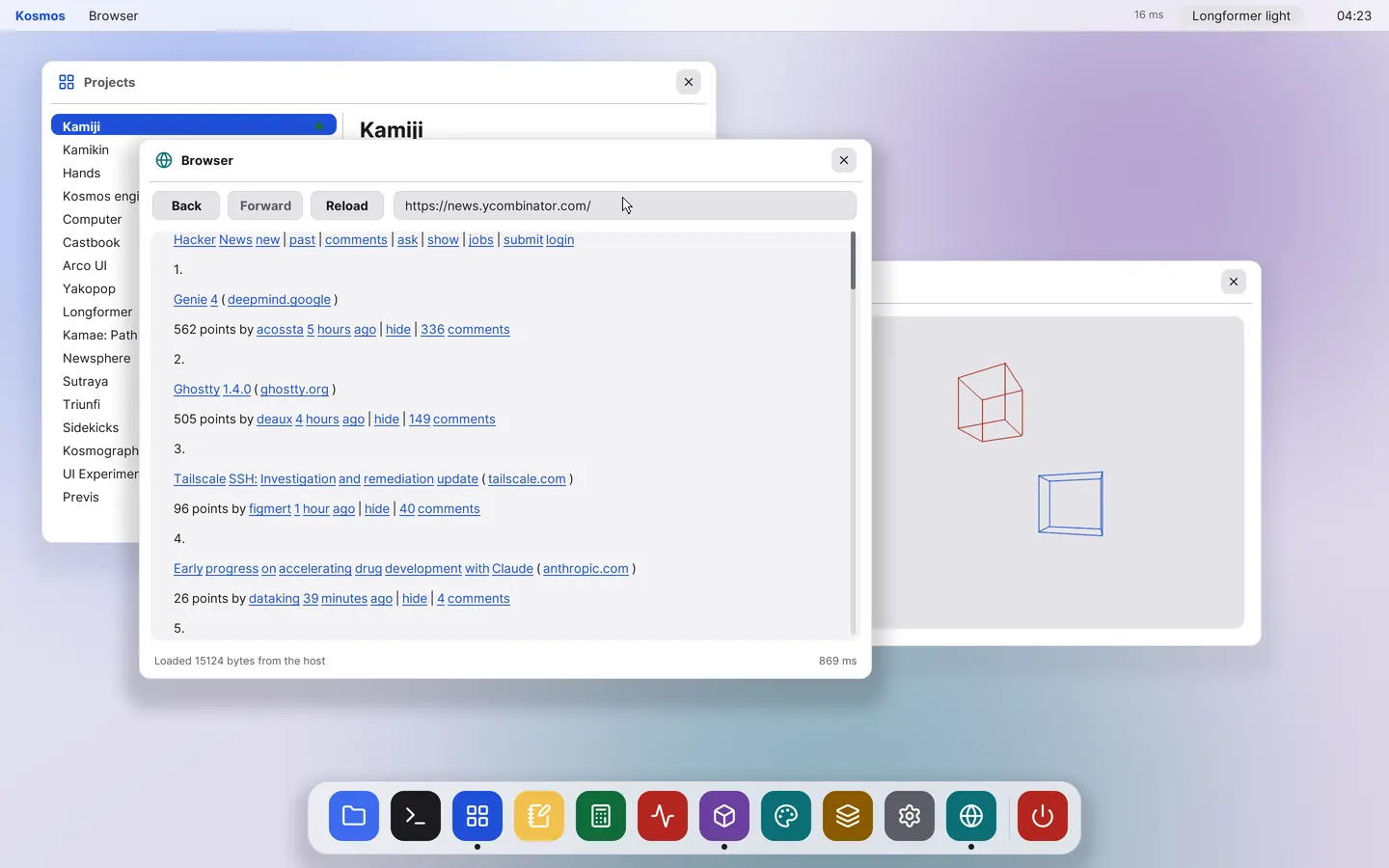
Browser
The web, painted by the desktop.
TempleOS has no network stack. The host fetches and prepares each page, and the desktop paints it with its own renderer and fonts. Wikipedia and Hacker News load today, with links, history and scrolling.
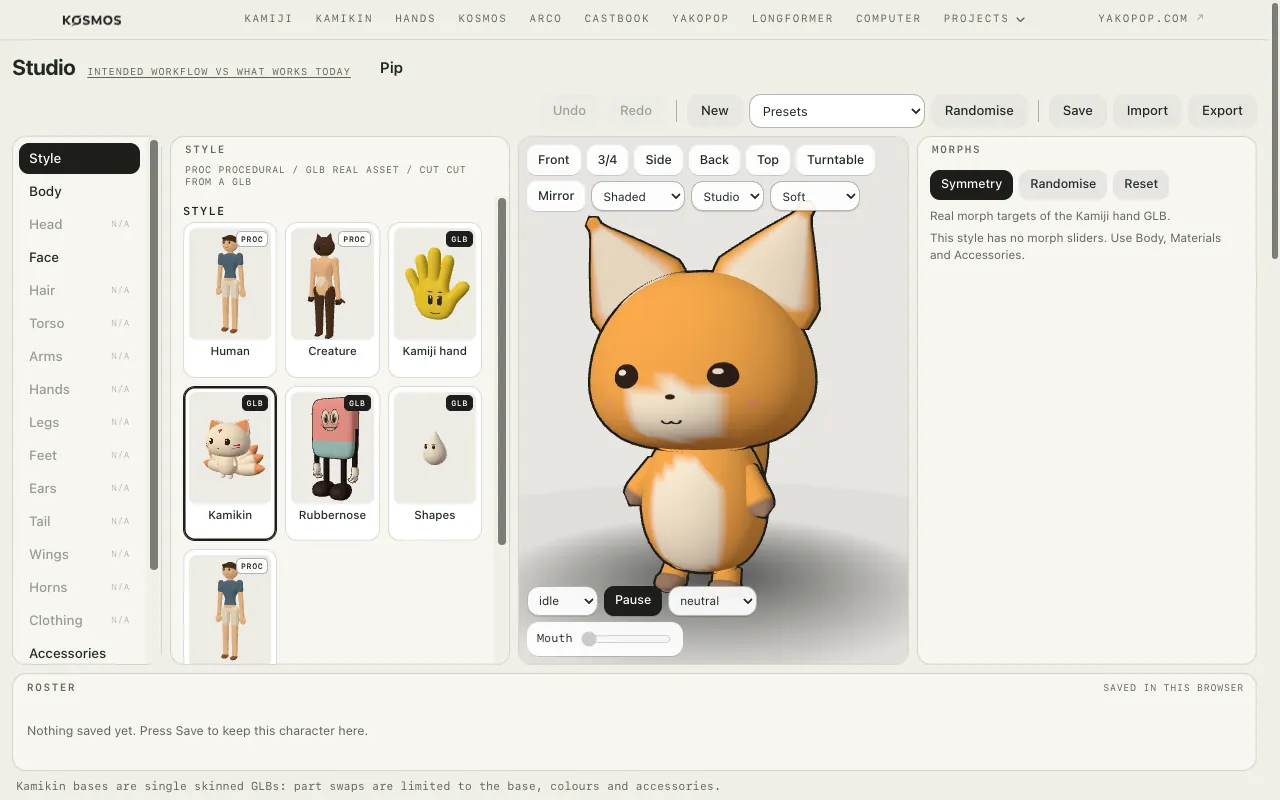
Kamiji Studio
A character creator, inside the desktop.
The Kamiji Studio opens in the Browser tab: swap parts, drag morph sliders, recolour, and export. The host starts it and the desktop shows it.
Speed
Fast, on an emulated CPU.
Measured in QEMU on an Apple Silicon Mac, with the x86 guest emulated in software. A recent pass cut full redraws from 19.8 ms to 3.4 ms at 1440 × 900.
3.6 s
From launching QEMU to a ready desktop, from a saved image on Apple Silicon
1.3 ms
Frame time dragging a large window at 1440 × 900
5 ms
Frame time dragging that window at 2880 × 1800, the 2x retina size
3.4 ms
A full redraw at 1440 × 900, down from 19.8 ms
Inside
A small OS with a big helper.
TempleOS cannot do networking, containers or modern file formats. So the desktop talks over a serial line to a host hub on the Mac, which does that work and hands back small, ready-to-paint results.
Guest
TempleOS desktop
HolyC all the way down: the renderer, the window manager, the dock and every app. It runs in QEMU, or natively on Apple Silicon through Aiwnios, with no emulation.
Host
The hub
A Python service with one module per job. Nothing is sent, deleted or bought without a prompt on the desktop.
Next
Where it goes from here.
Themes in the desktop
The ten profiles are designed and rendered. Next is building them into the desktop, with their fonts.
More apps
Maps, mail, contacts, slides, spreadsheets and podcasts are written up. Each follows the same host pattern as Weather.
A Linux foundation
The foundation plan moves the base to Linux with our own compositor, so unmodified Electron and Tauri apps can run. The look and feel built here carries over.