← All products
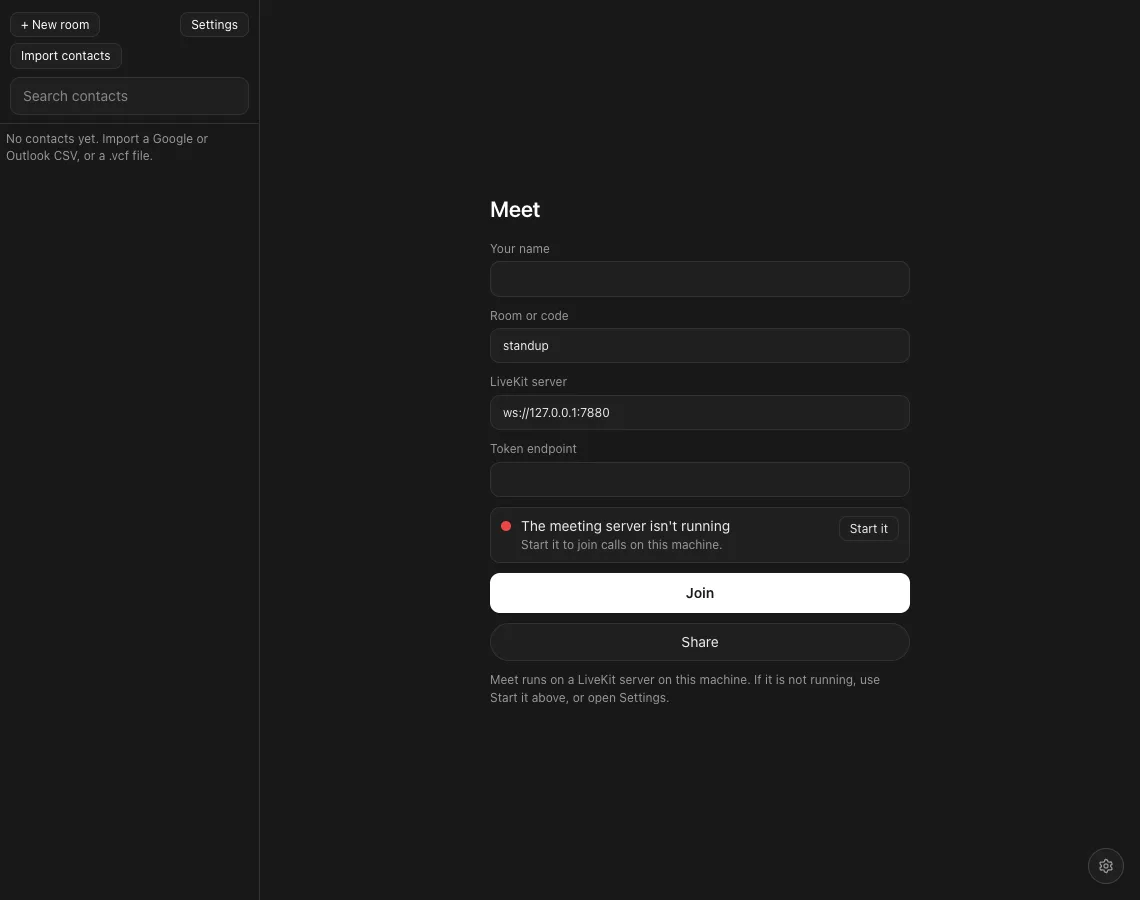
The Meet lobby with name, room, server and a Start it buttonThe Meet lobby
Meet
Video meetings in Canvas.
About
Meet connects to a LiveKit server you run, so meetings stay on your machine or your network.
It keeps your name, room and server in this browser, and can import contacts.
What it does
A lobby
Name, room or code, server and token endpoint, with a Start it button when the meeting server is off.
Video grid
Camera tiles with a speaking highlight and separate screen-share tiles.
Room chat
Messages travel over LiveKit data messages.
Contacts
Import a Google or Outlook CSV or a .vcf file, then invite from the list.
Share
Copy a link that opens the same room.
Open stack
WebRTC through LiveKit (Apache 2.0), loaded when you press Join.
The Pitch
Join from the same room in two tabs
Meet needs a LiveKit server. The lobby can start one on this machine.
Gallery
Characters
- Green Wisp
- Pink Wisp
- Neon Flux
- Teal Wisp
- Jelly Flux
- Rainbow Cubit
Kamiji characters used in this app. See the whole library.
Progress
Lobby, video, screen share and chatDone
Tested across two live browsersNot yet
Recording and encryptionPlanned
At a glance
- Status
- Prototype
- Stack
- WebRTC and LiveKit
- Not built
- Recording, end-to-end encryption, per-person moderation
- Source
- Private repository
Role
Creator.