
Hangout
Talk to your agents like teammates.
About
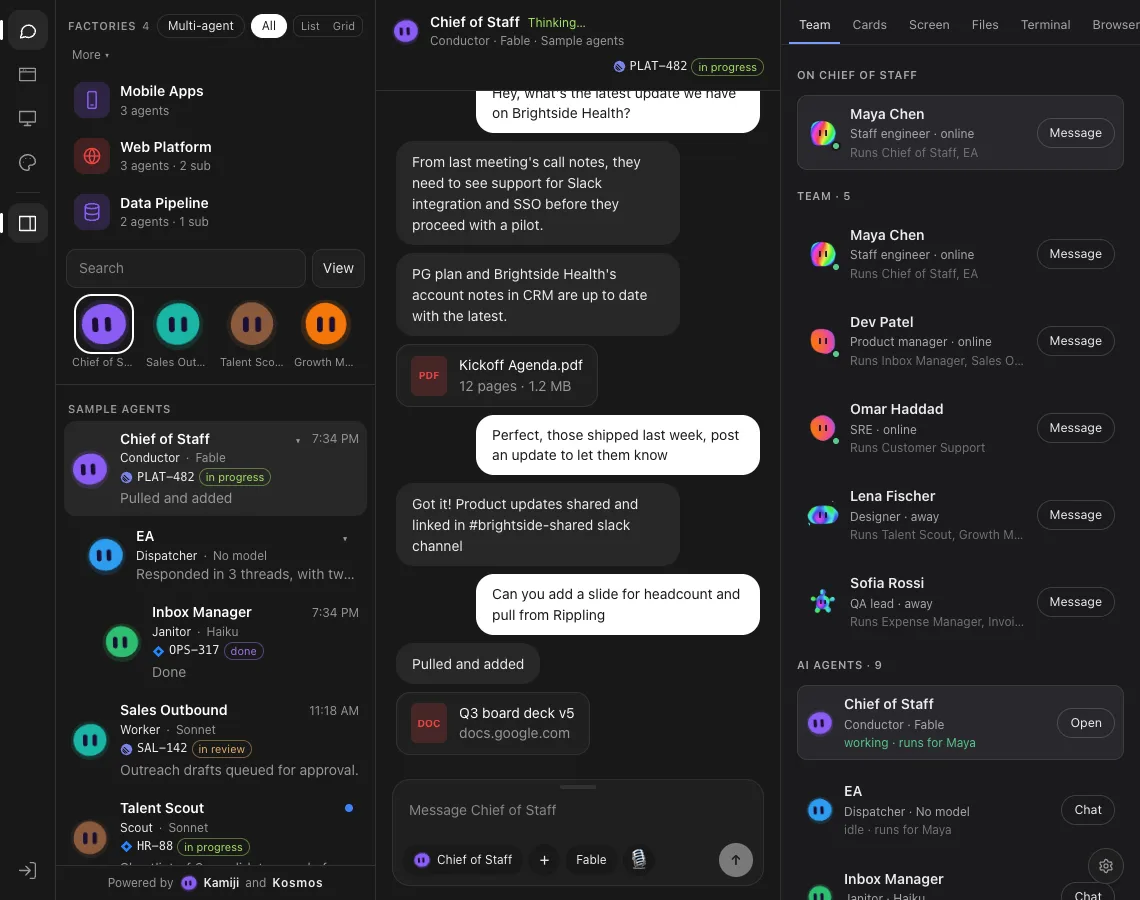
Hangout turns the conversations on an Agent Server into a team you can scan: each agent has a name, a role, a model and a coloured Wisp avatar, and the newest message shows in the list.
It runs inside Agent Canvas as an extension, and shows sample agents when no server is reachable.
What it does
Agents as a list
Filter and sort the way the left nav does, by workspace or factory, with subagent trees and a Multi-agent view.
Chat with markdown
Replies render headings, lists, tables and code, and files and actions appear as cards in the thread.
Team tab
People and AI agents side by side, with who runs which agent, presence and a Message or Chat button.
More views
Cards, Screen, Files, Terminal, Browser and a Pipeline tab sit beside the chat as toggles.
Avatars you can edit
Wisps by default, or a Kamiji face from the Studio with shapes, eyes and expressions.
A welcome you can play with
The Flux orb changes colour and shape, with Smooth and Voxel modes, and sheds small Motes.
The Pitch
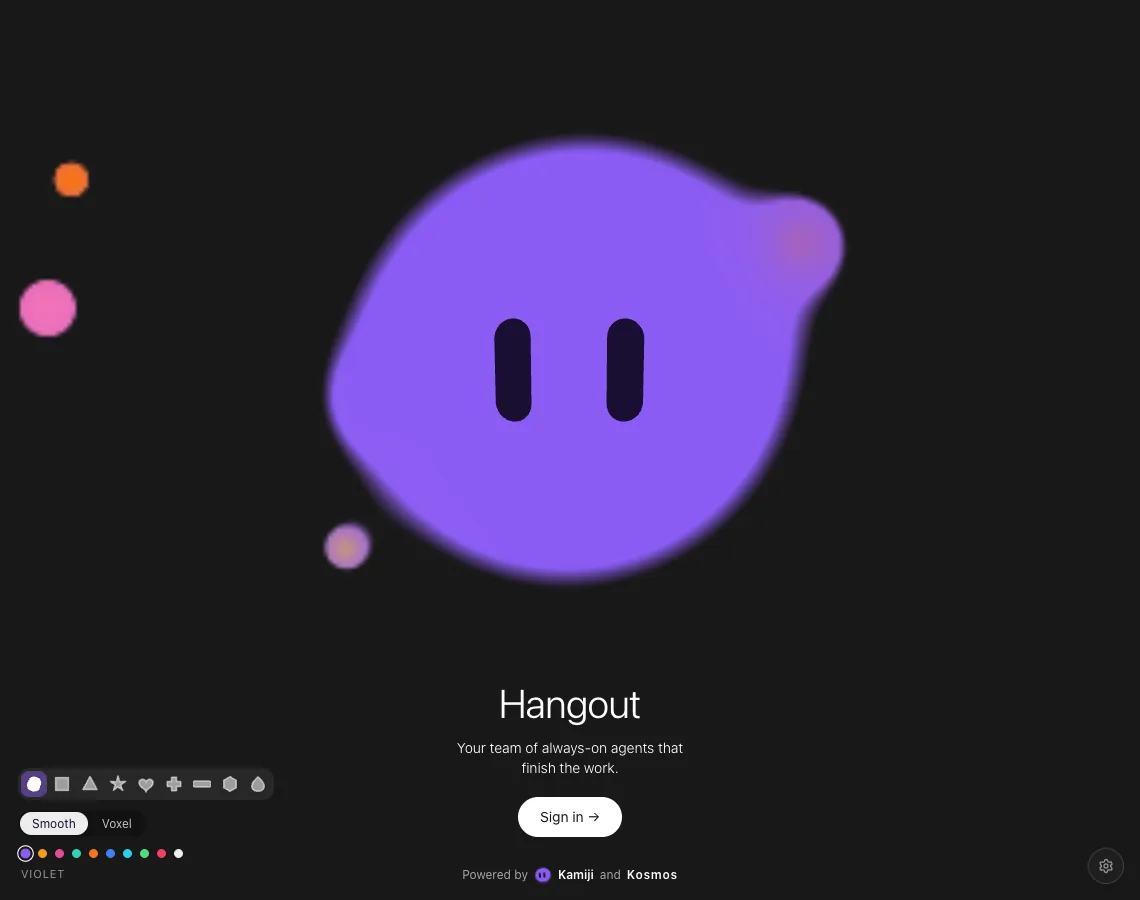
Your team of always-on agents
The welcome screen is a living Flux orb. Choose a colouring or a shape, then sign in.
Gallery
Characters
- Violet Wisp
- Blue Wisp
- Orange Wisp
- Aurora Flux
- Sunset Flux
- Gradient Cubit
Kamiji characters used in this app. See the whole library.
Progress
At a glance
- Status
- Working prototype
- Runs in
- Agent Canvas, as an installed extension
- Data
- Your Agent Server conversations, or sample agents
- Built with
- Dependency-free ES module
- Source
- Private repository
Role
Creator.